まず結論
.strip() や .split() は、文字列に対する操作です。
text = "  apple,banana  "
print(text.strip())
.strip() は、前後の空白を取り除きます。
読む目安
次のようなところで止まった人向けです。
text.strip()のドットが読めない.split()が何を返しているのか分からない- メソッドという言葉が分からない
最初は「ドットの後ろは、その値に対する操作」と考えれば十分です。
イメージで考える
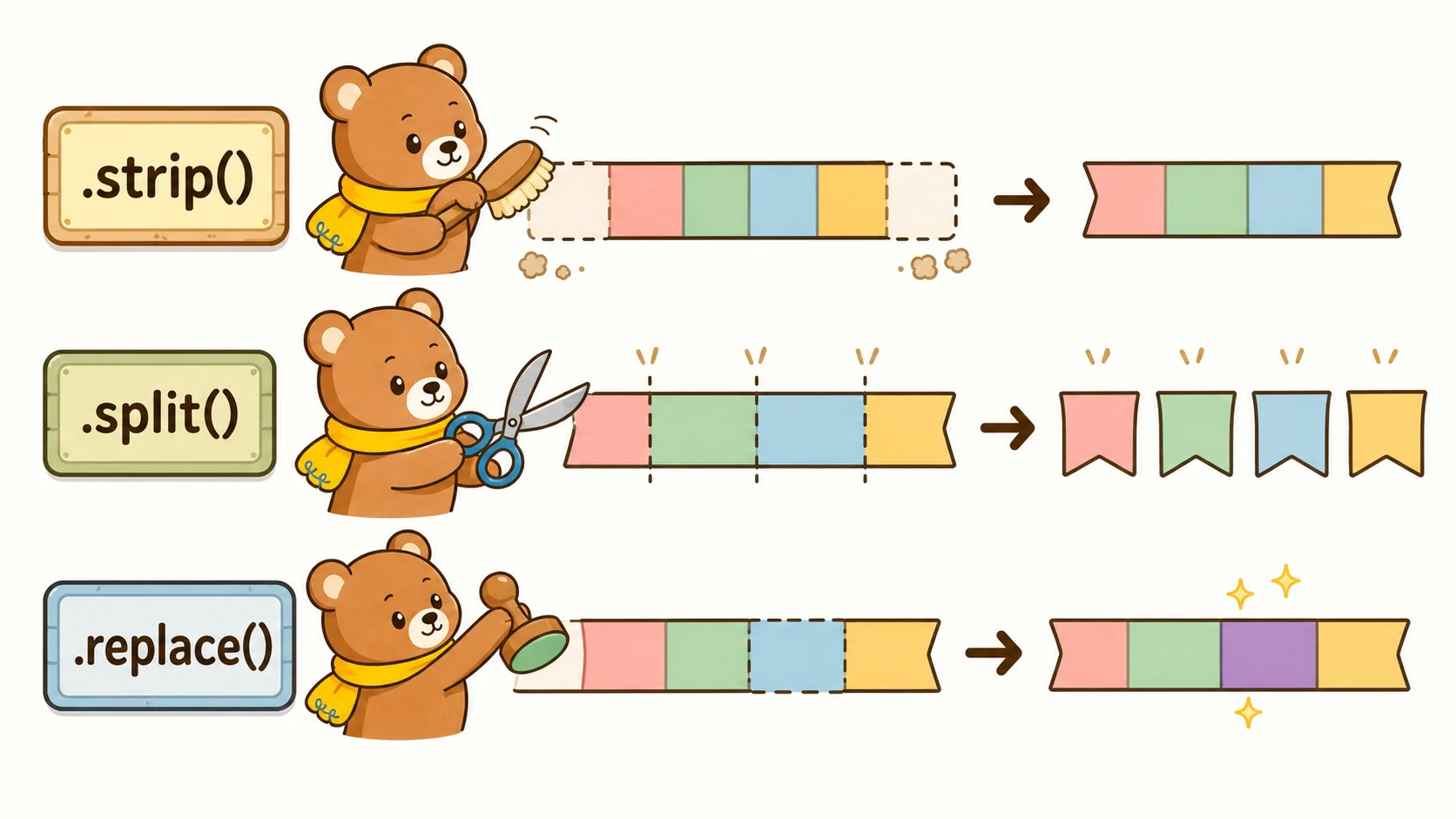
文字列を細いリボンとして見ると、メソッドの役割が分かりやすくなります。
.strip() は、リボンの端についた余分な空白を整える道具です。
.split() は、リボンを区切りで分ける道具です。
ドットの左にある値に、右側の道具を使っていると読みます。
stripは前後の空白を取る
strip() は、文字列の前後にある空白や改行を取り除きます。
text = "  hello  "
clean = text.strip()
print(clean)
結果は "hello" です。
splitは分ける
split() は、文字列を分けてリストにします。
text = "apple,banana,orange"
items = text.split(",")
print(items)
結果は ["apple", "banana", "orange"] です。
replaceは置き換える
replace() は、文字列の一部を置き換えます。
text = "hello"
new_text = text.replace("h", "H")
print(new_text)
結果は "Hello" です。
元の文字列は変わらない
文字列のメソッドは、新しい文字列を返すことが多いです。
text = "  hello  "
text.strip()
print(text)この場合、text 自体は元のままです。
結果を使いたいなら、変数に入れます。
text = text.strip()読み方のコツ
text.strip() は「text に対して strip する」と読みます。
ドットが出てきたら、「左側の値の機能を使っている」と見ると理解しやすいです。
手を動かすミニ練習
空白つきの文字列に strip() を使って、結果を見比べてみましょう。
text = "  Python  "

print(text)
print(text.strip())
strip() は文字列の前後にある余分な空白を取り除きます。
3行まとめ
- 文字列には.strip()や.split()のようなメソッドがある。
- ドットは「その値の機能を使う」と読む。
- メソッドの戻り値を変数に入れると結果を使える。